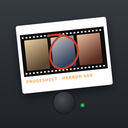
 Proofsheet
Every roll comes back as a proof sheet
A Proofsheet proof sheet shows your whole roll as film strips with frame numbers, edge print and red grease-pencil circles on the frames you pick. Export it as 9:16 or 1:1, choose a Lab, Strip or Grid layout, save single prints, or cut a reel with a QR end card.
Coming soon to iPhone
What is a proof sheet?
In film photography it is the page a lab returned with every frame printed small, so you could mark favorites with a grease pencil. Read what is a contact sheet for the background. Proofsheet recreates the idea for your roll.
Frames are marked with a circle for picked or a cross for crossed out.
What can I export?
A sheet, in 9:16 for stories or 1:1 for posts. Prints, with a frame on paper plus stock name and frame number. A reel, which is a 9:16 video showing every frame for 0.35 seconds each, followed by an end card with a QR code. The first reel is free, and more come with Pro or an event roll.
Which layouts are there?
Three: Lab, Strip and Grid. The default layout is part of the free plan, and Pro gives access to the sheet layouts beyond it. The Share studio shows a live preview of the layout before you export, so you can compare the three on your own roll.
What is printed on the edge?
The app name and the film look and roll number, in the rebate like a real strip. A QR code and link sit in the lower border. This brand line stays on exports so friends can find the app. Pro offers a quieter Edge only option that keeps the name and link.
What is in a print?
A print shows one frame on white paper with the stock name and frame number, and a small QR code on the paper border. Prints export as 9:16 or 1:1, so you can post one picture from the roll without the whole sheet.
Where can I find old sheets?
In the Binder, which holds every sheet, and the Week tab that groups week roll sheets. Share a sheet to Stories, chats or save it to Photos.
How do I mark my favorites?
Marking takes seconds, and the first sheet in the app shows you how.
- Open the sheet after the roll develops.
- Turn on Grease pencil.
- Tap a frame to circle it in red.
- Tap the same frame again to cross it out.
- Tap Share or Save sheet when you are done.
How do I look closer?
Use Loupe to drag a magnifier over the sheet and release on a frame to open its print. Zoom switches the grid to bigger frames, four or three across. In the print viewer you can swipe to the next frame, pick or unpick the current one and share it on its own.
What does the Share studio offer?
It is one screen for every export, with a live preview of exactly what will leave the app.
- Type: Sheet, Print, Reel, Ticket or Crew sheet, showing only what applies.
- Format: 9:16 for stories or 1:1 for posts.
- Layout: Lab, Strip or Grid.
- Brand: Edge and QR, or Edge only with Pro.
How long is a reel?
Each frame appears for 0.35 seconds, so a 24-frame roll is about 8.4 seconds of pictures, followed by an end card with the QR code. While the video is cut, the screen shows a progress count such as Cutting your reel and a percentage. The first reel is free.
What does a crew sheet add?
The strips are grouped by the initials each friend chose, with a header that counts the cameras and frames, such as 8 cameras and 96 frames. See crew rolls for how frames are collected.
What are the limits?
Exports come as images in 9:16 or 1:1 and the reel as a 9:16 video. The brand line stays on every export. A sheet is small by design, so it shows composition and mood rather than fine detail. For detail, open a print or find the developed photo in your library.
Why a sheet and not a camera roll?
A camera roll hides your best picture among thousands. A sheet holds one roll of 12, 24 or 36 frames on one page, so the decision about what to keep is made once. Your developed photos still sit in the library for any other use.
How is a proof sheet different from a photo album?
An album grows without end. A sheet is a finished object: one roll, one page, one decision. You can share it whole, pick single prints from it or keep it in the Binder with the others. The markings you made stay on the sheet.
Frequently asked questions
What sizes can I export?
9:16 and 1:1.
What is a reel?
A 9:16 video with each frame shown for 0.35 seconds and an end card with a QR code. The first one is free.
Can I mark my favorite frames?
Yes. Picked frames get a red circle, and rejected ones a cross.
Is the Proofsheet name on my exports?
Yes. Edge print and a QR code remain. Pro lets you choose a quieter edge-only version.
How do I circle a frame on the proof sheet?
Turn on Grease pencil and tap the frame. Tap again to cross it out.
How long is the reel?
Each frame shows for 0.35 seconds, then an end card with a QR code follows.
Keep exploring
 Crew RollsA ticket, the same look on every phone and one crew sheet.What Is a Contact Sheet? Proof Sheets ExplainedOne page, every frame, and a grease pencil for favorites.Film LooksTwelve original looks. Two free, ten in Pro or packs.Week Roll24 frames through the week, one sheet on your day.
 Film Camera App for iPhoneSmall viewfinder, thumb-wheel wind-on and a finite roll.