 Proofsheet
How to take photos that look like film on iPhone
Film photos get their look from light, color, grain and restraint. On an iPhone you can get most of the way there by shooting in soft light, taking fewer frames and not checking each one. A film camera app then adds the color grade and grain when the pictures are finished.
Coming soon to iPhone
What makes a photo look like film?
Four things, in roughly this order of importance: the light you shot in, the color, the grain and the way you shot. Most people chase the third one first, and it matters least. A sharp, harsh midday photo with a grain overlay still looks like a digital photo with a grain overlay.
Film also came with a limit. A roll held 24 or 36 frames, you could not see the result, and you waited. That limit changed what people pointed the camera at, and it shows in the pictures.
Which light looks best?
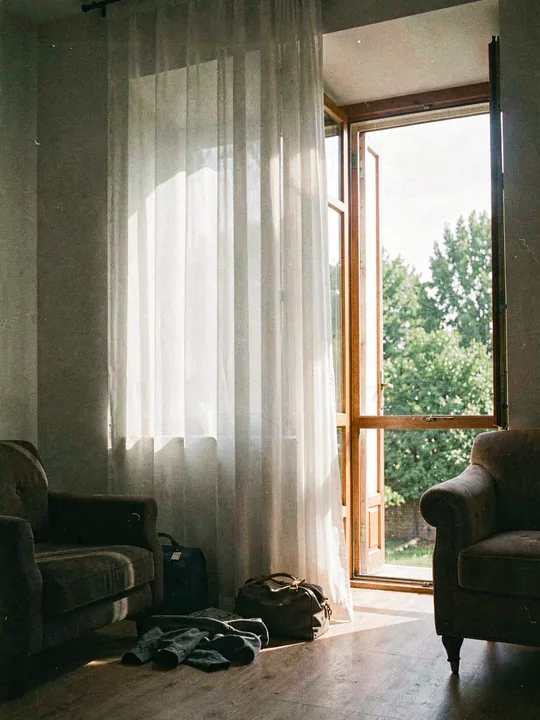
Soft, warm or open-shade light gives the gentle contrast people associate with film. Early morning and the hour before sunset are the safest. Overcast days work well for faces because the shadows stay open.
Hard noon sun is the hardest case. If you have to shoot in it, put the subject in shade and expose for the face. Indoors, stand near a window and turn the subject toward it.
- Golden hour for warmth, overcast for even skin.
- Open shade beats direct sun for faces.
- At night, a close flash on the subject gives the flat, punchy look of a compact film camera.
- Streetlights and shop signs give color casts you cannot get in daylight.
Why do fewer frames help?
With a 12-frame roll you wait for the person to turn their head. You skip the third shot of the same plate of food. Each press of the shutter costs something, so you pay attention before you press it.
This is the cheapest film habit to copy. Pick a number before you leave the house, say 12, and stop when you reach it. Proofsheet enforces the idea with a counter and a thumb wheel you swipe after every shot.
Does hiding the preview matter?
A lot. When you check the screen after every shot you start retaking, and the pictures drift toward the safe version of the same frame. When you cannot look, you commit. The frames are often less perfect and more alive.
If you stay in the built-in Camera app, you can imitate this by not opening the shot after you take it. It takes discipline. An app that hides the frames until a later time removes the temptation.
How does an app apply the color and grain?
A film look is a stack of steps: a color grade, a tone curve, grain scaled to the look, a soft vignette and sometimes a glow around highlights. Proofsheet runs those steps on your iPhone when the roll develops, at full resolution, so nothing is uploaded. Grain is seeded from the roll and the frame number, which means a frame looks the same every time it is rendered.
The twelve film looks are Proofsheet's own digital styles. They do not imitate any film stock or camera brand, and the app does not claim to reproduce real film.
A quick plan for your next outing
| Step | What to do | Why it helps |
|---|---|---|
| Before | Pick a look and a frame count | A limit sharpens your eye |
| Light | Find soft or open-shade light | Gentle contrast reads as film |
| Shoot | Do not review, do not retake | Commitment gives live frames |
| Wait | Look the next day | You see the pictures fresh |
| Choose | Circle three on the proof sheet | Editing is part of the style |
What should you avoid?
Avoid stacking filters on top of a look, and avoid heavy sharpening. Real film is soft at the pixel level, and sharpening works against it. Avoid shooting in a hurry just to fill the roll. A look cannot rescue a blurred frame or flat light, and it will not make an ordinary scene interesting.
Also be wary of grain that looks identical in every picture. If the same speckle pattern sits in the same place on frame after frame, it is a stamped overlay.
Can I do this without a special app?
Yes. Shoot in soft light, set yourself a frame limit, avoid previews and wait a day before you look. The habits do most of the work. A camera app is useful when you want the limit and the wait enforced, and when you want the color and grain applied consistently across a roll.
Proofsheet is not released yet. When it is, its film camera and darkroom are built around exactly these habits.
How do I keep the look consistent across a set?
Use one look for the whole roll. Mixing looks inside a set makes the page feel like a collage, while one look makes it feel like one afternoon. In Proofsheet the look is fixed when you load the roll, so the choice is made once, as with film in a camera body.
What does a good first outing look like?
Pick one place and one hour. A neighborhood walk at the end of the afternoon works, or a friend's kitchen when the sun comes through the window. Load a 12-frame roll, choose a look and set the develop time for the next morning.
Shoot slowly. Spend the first three frames on the surroundings, the next six on people or objects you care about and keep the last three for whatever surprises you. When the counter reads zero, put the phone away.
The next day, open the roll and read it as a set. You will see which frames hold up, and the pattern is usually obvious: the ones you waited for.
Why not just use a filter afterward?
You can, and for a single photo it is quick. The trouble is that a filter changes the color of a picture you have already judged. You looked at it, chose it and then dressed it up. The roll method reverses the order: you commit first, and the look arrives at the end, applied the same way to everything.
A filter also tempts you to keep adjusting. A look that is chosen once, before the first frame, ends the discussion.
Frequently asked questions
How do I make iPhone photos look like film?
Shoot in soft light, take fewer frames, avoid checking each shot and add a color grade and grain at the end. Proofsheet's looks apply those steps when a roll develops.
Is film grain what makes a photo look like film?
It helps, but light and color matter more. Grain on a harsh digital photo still looks like a digital photo with grain.
Do Proofsheet looks copy real film stocks?
No. They are the app's own digital styles and do not imitate any film or camera brand.
Can I see the look while I shoot in Proofsheet?
No. The viewfinder shows the plain scene and the look appears when the roll develops.
How many photos should I take for a film feel?
Twelve or twenty-four for an outing. Proofsheet offers rolls of 12, 24 or 36, and 36 is part of Pro.